Assemble Settings
Overview
Assemble settings control how a live session appears in a training module, who can access it, and which meeting features are available.
Use this guide when reviewing or updating an Assemble activity after it has been added to a training module.
Permissions / Access
This action is typically performed by people who can manage training module activities.
- Department Manager
- Company Manager
Navigation Path
Admin Dashboard -> Training Modules -> [Training Module] -> Assemble Activity -> Settings
Steps
- Navigate to the training module that contains the Assemble activity.
- Select the Assemble activity that needs to be reviewed or updated.
- Select the option to edit or manage the activity settings.
- Review the activity name, description, and welcome message.
- Select the room options that control how users enter and participate in the session.
- Select any participant controls that should be restricted, such as webcams, microphones, chat, shared notes, or the user list.
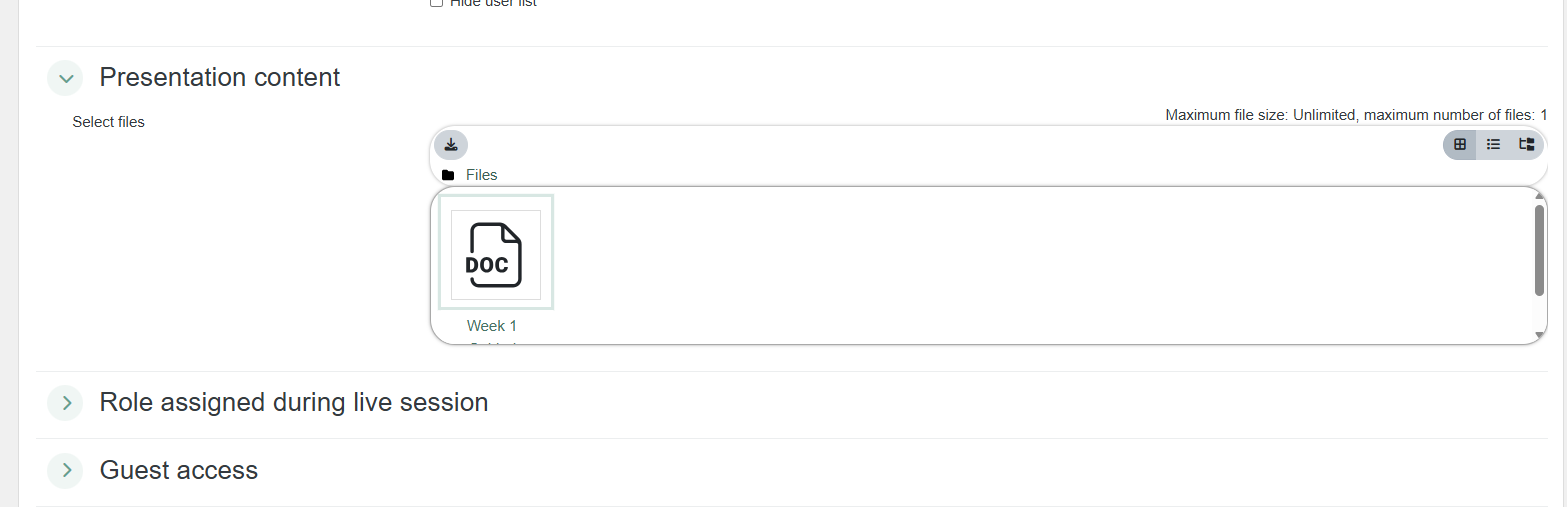
- Add or update presentation files if the session should open with prepared materials.
- Assign moderator or participant roles to specific users if the session needs designated facilitators.

Assign the Moderator role to users who need to schedule meetings or manage live-session controls. Review these assignments before sharing a meeting URL or asking someone to schedule a meeting.
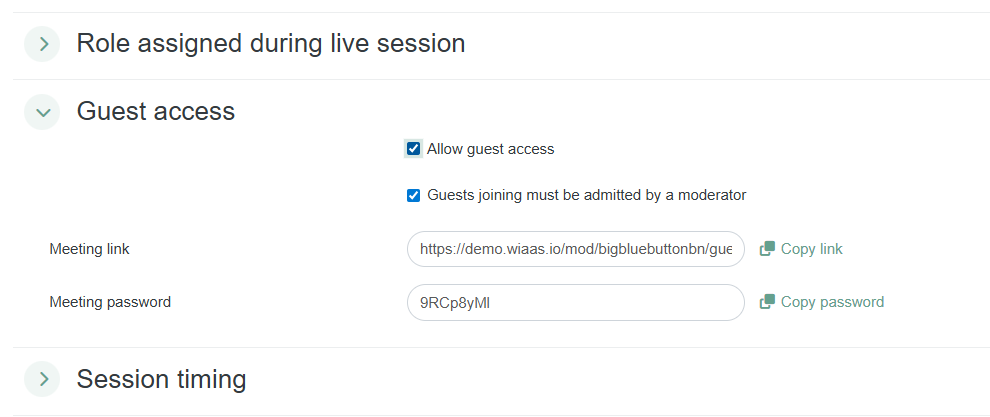
- Select whether guest access should be allowed for the session.
- Set the session open and close times if users should only join during a specific window.
- Review availability, group settings, language settings, and any activity ID fields.
- Select any access rules that should limit who can open the activity.
- Select the completion conditions that should apply when Assemble is part of a required training module workflow.
- Select the save option to apply the updated settings.
Result
The Assemble activity settings are updated.
Users will see and access the session based on the saved availability, timing, role, and completion settings.
Notes / Tips
- Use the activity name to make the session purpose clear before users open it.
- Enable wait for moderator when users should not enter before a facilitator joins.
- Use lock settings when the session requires limited participant controls.
- Review recording settings before the session begins if the session should be available later.
- Review completion settings when the Assemble activity is part of a required training path.
- Save changes after updating each settings area.
Troubleshooting
Common issue: Users can join before the facilitator is ready.
Solution: Enable the setting that requires users to wait for a moderator.
Common issue: Users have access to controls they should not use.
Solution: Review lock settings and disable the controls that should be restricted.