Manage Qualifications Plans
Overview
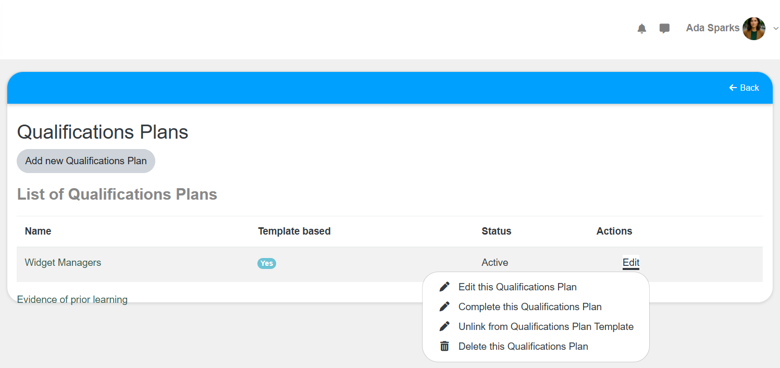
Use this page to manage qualifications plans from one place. This is helpful when you need to create a new plan, assign a plan, or review and update an existing plan.
Permissions / Access
Who can perform this action?
- Department Manager
- Company Manager
Navigation Path
Admin Dashboard -> Qualifications Tab -> Manage Qualification Plans
Steps
- Click on Admin Dashboard in left navigation menu.
- Select the Qualifications tab.
- Select Manage Qualification Plans.
- Create a new plan or assign or edit an existing plan.
- Select the option to save or confirm your changes.
Video
*Note: This video reflects a previous version of the platform. Access Admin Dashboard from the left navigation menu. The remaining steps are unchanged.
Result
- The selected plan management action is completed.
- Your qualifications plans reflect the latest setup or assignment changes.
Notes / Tips
- Use this page as the starting point for plan creation, updates, and assignments.
- Review plan details carefully before making changes that affect multiple users.
Troubleshooting
Common issue: A plan action is unavailable.
Solution: Confirm your permissions allow the requested plan management task.
Common issue: You cannot find the plan you need to update.
Solution: Review the plan list and confirm the plan was created successfully.