Completion Report by Course
Overview
Use the Completion Report by Course to review completion activity for training modules.
This report is helpful when you want to track progress, confirm completions, or identify training modules that still need attention.
Permissions / Access
Who can perform this action?
- Department Manager
- Company Manager
Navigation Path
Admin Dashboard -> Reports -> Completion Report by Course
Steps
- Open Admin Dashboard.
- Select the Reports tab.
- Select Completion Report by Course.
- Select any available filters, such as department, date range, or training module.
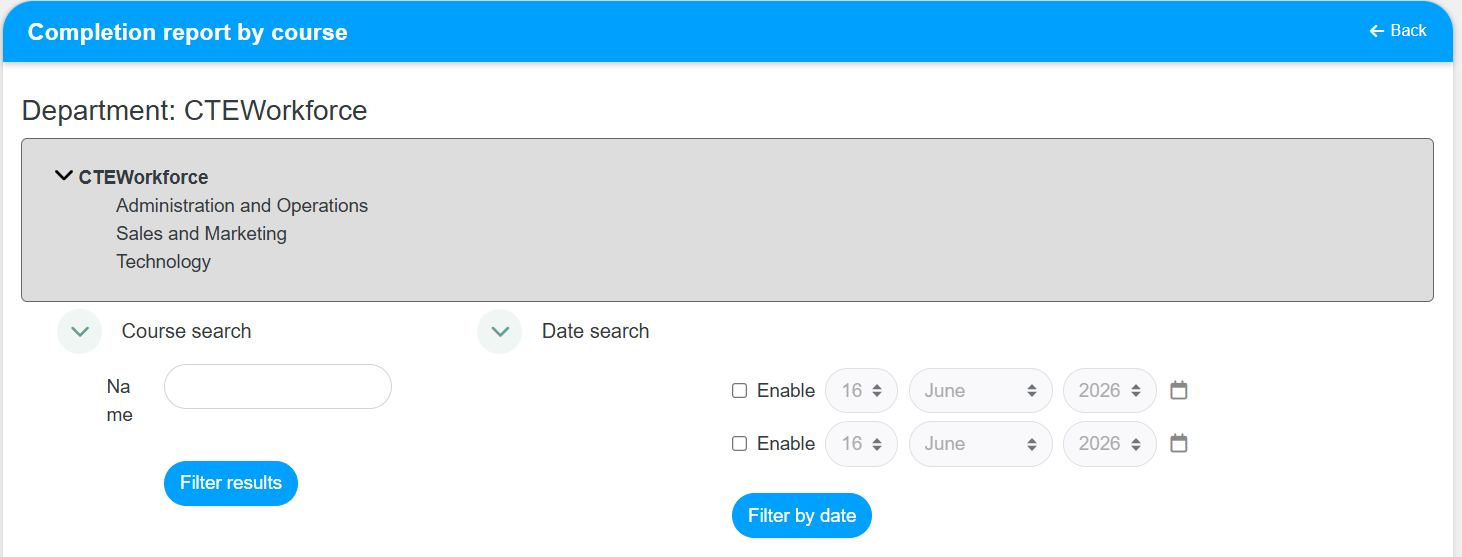
- Review the completion details shown for the selected training modules.
Result
- The report displays completion data for the filters you selected.
- You can review which users completed a training module and which still need to finish it.
Notes / Tips
- Apply filters before reviewing results so the report is easier to read.
- Compare date ranges carefully when checking completion trends.
Troubleshooting
Common issue: The report shows too much data.
Solution: Narrow the results by selecting a department, date range, or training module filter.
Common issue: Expected completions are missing.
Solution: Confirm that the correct filters are selected and rerun the report.