View Qualifications Report
Overview
Use the Qualifications Report to review qualification data for users.
This report is helpful when you need to monitor qualification progress, identify gaps, or confirm qualification status for a department or company.
Permissions / Access
Who can perform this action?
- Department Manager
- Company Manager
Navigation Path
Admin Dashboard -> Reports -> Qualifications Report
Steps
- Open Admin Dashboard.
- Select the Reports tab.
- Select Qualifications Report.
- Select Card View or Table View.
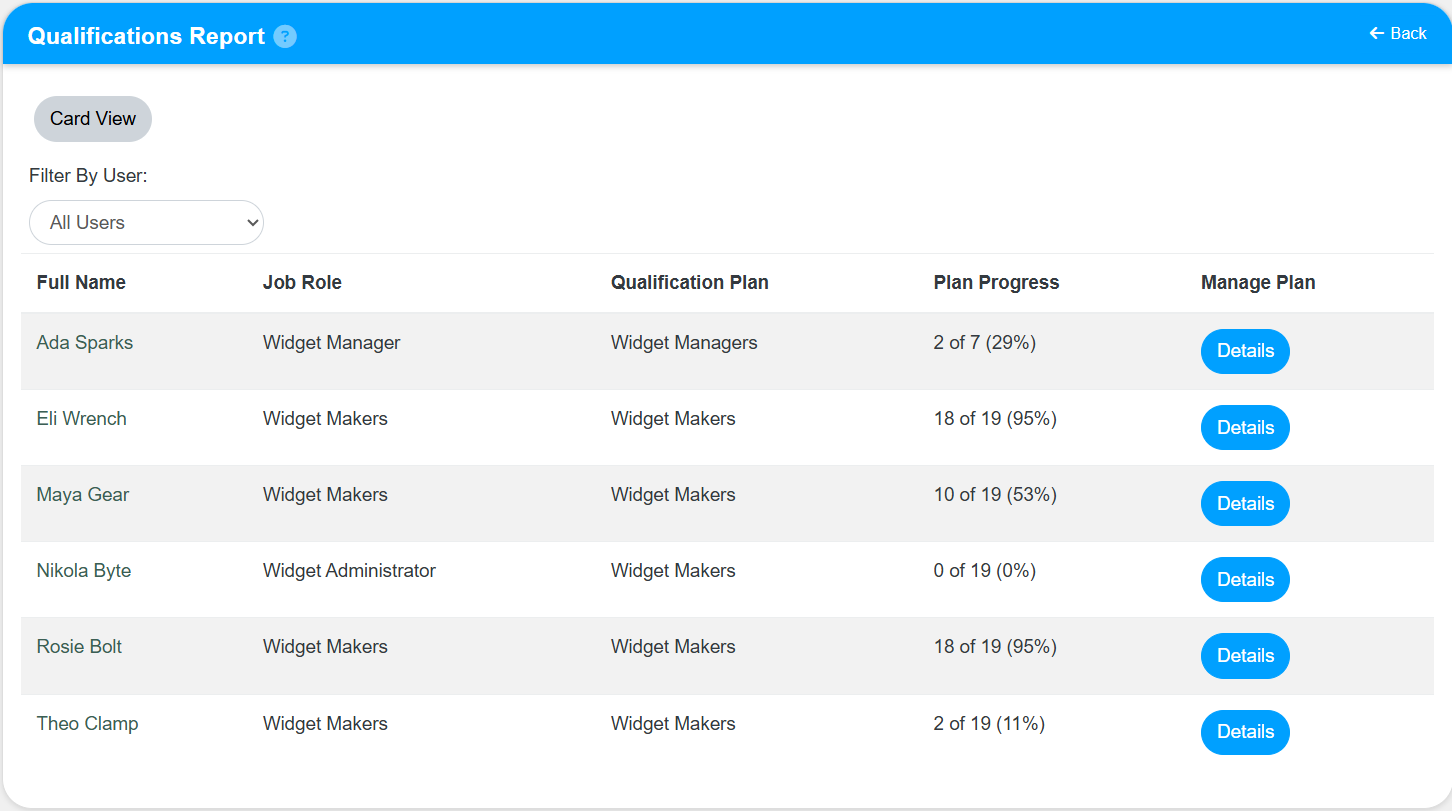
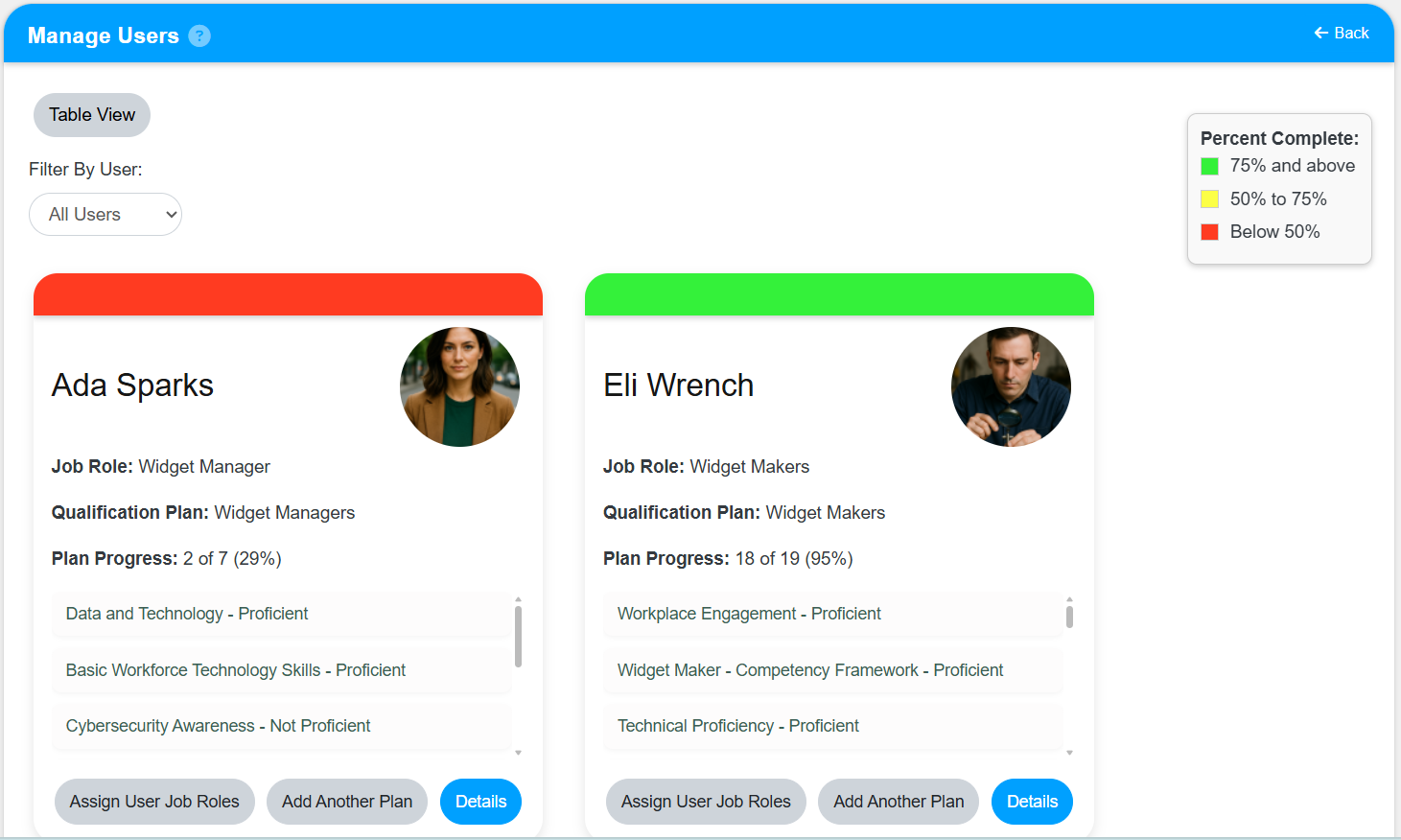
- Review the qualification details shown in the report.
Result
- The Qualifications Report opens with the selected results.
- You can review qualification progress, status, and gaps for the selected users or departments.
Notes / Tips
- Apply filters before reviewing results so you can focus on the most relevant qualification data.
- Review status labels carefully when comparing qualified and not-yet-qualified users.
Troubleshooting
Common issue: The report does not show the expected qualifications.
Solution: Confirm that the correct department, qualification, and date filters are selected.
Common issue: The results are difficult to review.
Solution: Narrow the report with filters before running it again.