Forum
Overview
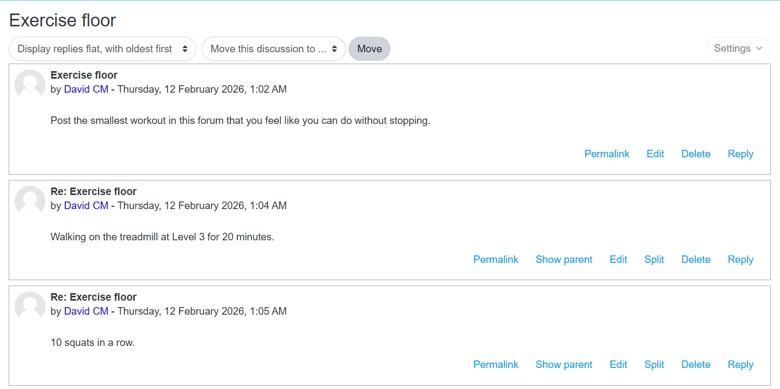
Add a forum activity to create discussion spaces where users can participate in conversations. Company managers can select from multiple forum types and users can create and respond to topics.
Permissions / Access
- Company Manager
- User (can post and reply)
Navigation Path
Training Dashboard -> [Select Training Module] -> Edit Mode
Steps
Add a forum
- Click on the Training Dashboard on the left navigation menu.
- Open the training module where you want to add the forum.
- Toggle on Edit Mode in the top-right corner.
- Click Add an activity or resource in the appropriate section.
- Select Forum.
- Enter a forum name.
- Configure additional settings as needed.
- Click Save and return to Training Module or Save and display.
Add a reply within a forum
- Open the training module and navigate to the forum.
- Select a forum post to reply to.
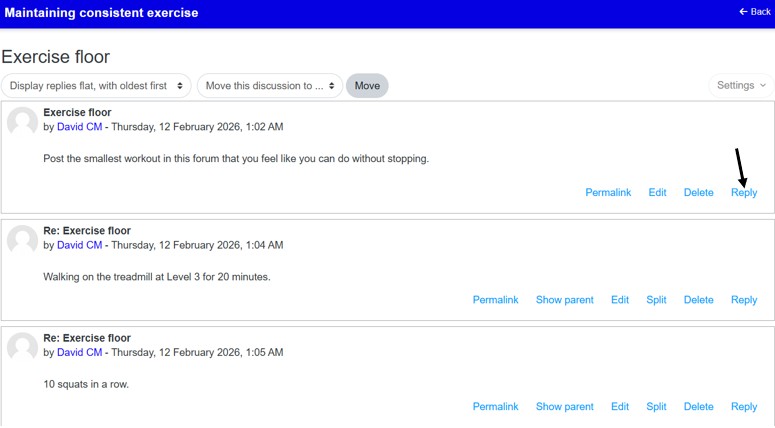
- Click Reply.
- Write your response.
- Optionally check Reply privately to send a private response to the user.
- Click Post to forum.
Result
- The forum is added to the training module.
- Users can view, create, and respond to forum posts.
- Private replies are only visible to the intended recipient.
Notes / Tips
- When adding a forum, you can select from five different forum types.
- Company managers can reply privately to individual user posts by checking the Reply privately checkbox.